A lightweight gardening tool
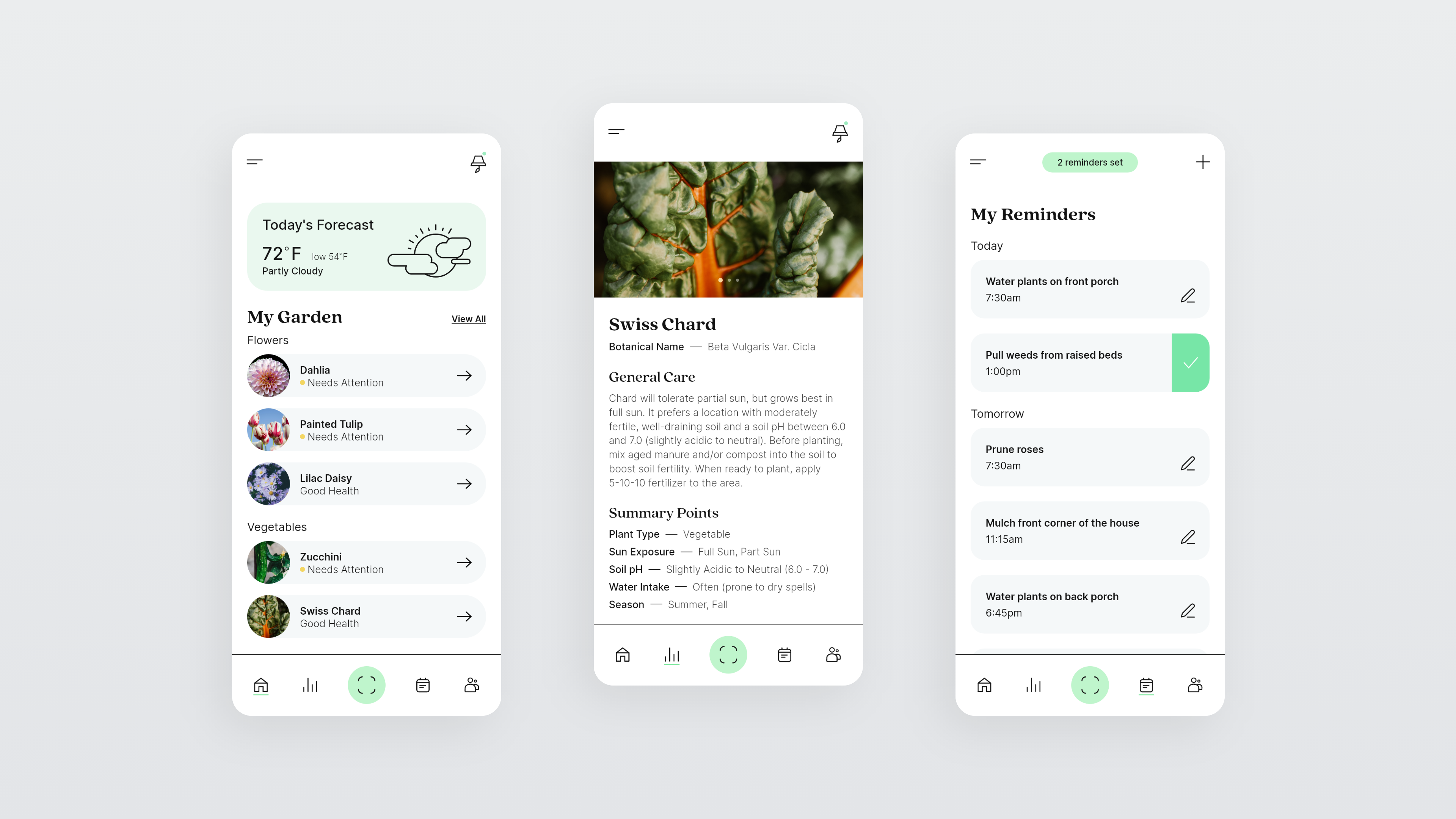
Dahlia is a garden management application that helps people with their efficiency and understanding when it comes to taking care of plants.
Gardening is a popular activity that brings joy and relaxation to many people. However, there can be a steep learning curve especially for beginners who are not familiar with plant care. It can be difficult to remember when you should water, fertilize, or prune each plant in your garden and mismanagement can result in unhealthy plants with low yield. No one wants to experience a full season of nurturing their plants just to lose out on a potentially great harvest. With this in mind, I began brainstorming a user experience that assists with the management and efficiency of gardens big to small.
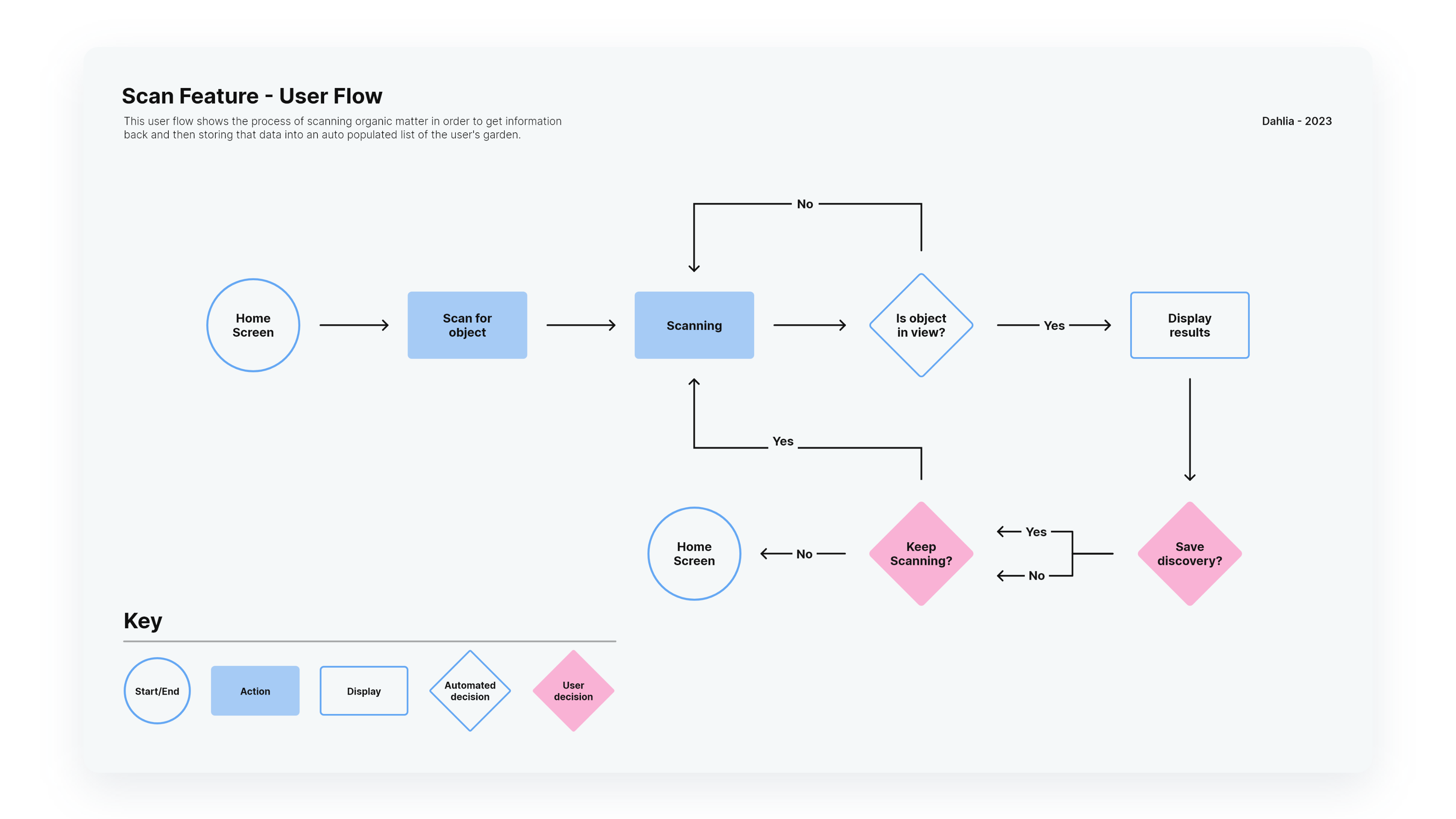
In my research it became apparent that the core features of Dahlia would need to address several problems. Notifying users of important tasks, identifying plant species, obtaining vital information for successful growth and tracking progress of each plant were the highest priority issues on the list. I created a user flow and wireframes built on solving these problems then started building a component library.
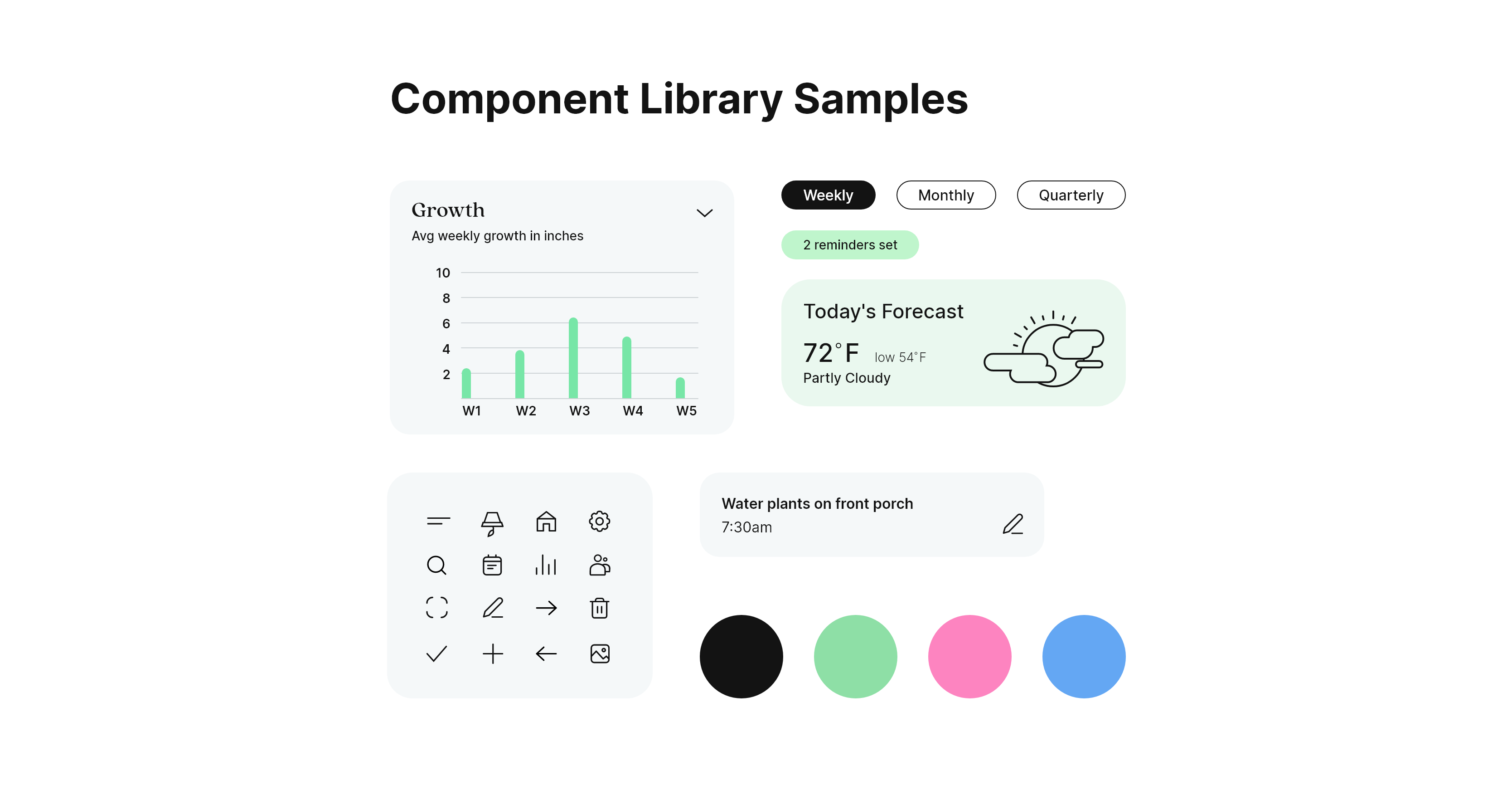
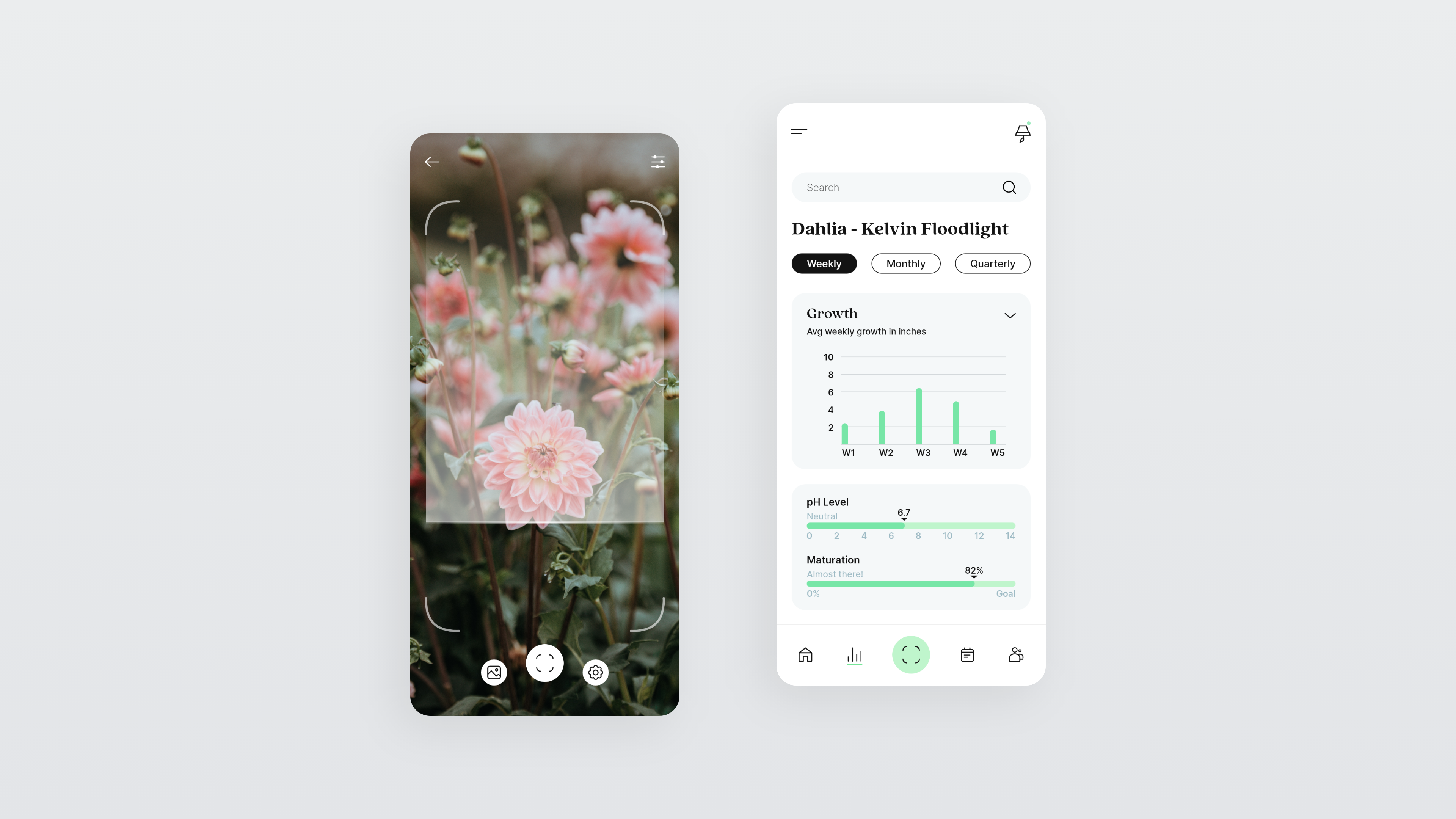
An easy way for users to identify plants or dangers would be to allow scanning of organic matter within the application. I added this feature and placed it in the center of the bottom navigation since this is a core interaction. Another important feature to make garden planning simple is the ability to scan or free draw a garden and convert it automatically into a top-down grid on the app. This allows for complete control over the organization of gardens with a labeling system that can link directly to each plant. The reminders screen allows for tasks to be set with custom parameters like importance and dates with built-in notifications so users never miss out. A light color library with contrasting black was carefully chosen to avoid clashing with intense colors in a garden and remain daytime friendly for users who are outside. The overall airy design of the app is meant to make users feel a sense of tranquility.
.jpg)

Interior Kit
Interior Kit is a modern conceptual design company creating their own line of furnishings and leveraging technology to help consumers plan out their spaces before they buy.

Visual Identities
Here's a little collection of some past visual identity projects focusing on logos, colors, graphics and imagery.
A lightweight gardening tool
Here's a little collection of some past visual identity projects focusing on logos, colors, graphics and imagery.
Gardening is a popular activity that brings joy and relaxation to many people. However, there can be a steep learning curve especially for beginners who are not familiar with plant care. It can be difficult to remember when you should water, fertilize, or prune each plant in your garden and mismanagement can result in unhealthy plants with low yield. No one wants to experience a full season of nurturing their plants just to lose out on a potentially great harvest. With this in mind, I began brainstorming a user experience that assists with the management and efficiency of gardens big to small.
In my research it became apparent that the core features of Dahlia would need to address several problems. Notifying users of important tasks, identifying plant species, obtaining vital information for successful growth and tracking progress of each plant were the highest priority issues on the list. I created a user flow and wireframes built on solving these problems then started building a component library.
An easy way for users to identify plants or dangers would be to allow scanning of organic matter within the application. I added this feature and placed it in the center of the bottom navigation since this is a core interaction. Another important feature to make garden planning simple is the ability to scan or free draw a garden and convert it automatically into a top-down grid on the app. This allows for complete control over the organization of gardens with a labeling system that can link directly to each plant. The reminders screen allows for tasks to be set with custom parameters like importance and dates with built-in notifications so users never miss out. A light color library with contrasting black was carefully chosen to avoid clashing with intense colors in a garden and remain daytime friendly for users who are outside. The overall airy design of the app is meant to make users feel a sense of tranquility.
Interior Kit
Interior Kit is a modern conceptual design company creating their own line of furnishings and leveraging technology to help consumers plan out their spaces before they buy.
Visual Identities
Here's a little collection of some past visual identity projects focusing on logos, colors, graphics and imagery.